

How much information is too much for wine labels?
There’s a new effort underway to add more information to wine labels, but can this be done without making the consumer dizzy?

Where the finest products along with everything you need for “do-it-yourself” label printing are just a click away.
Call Now: +1-866-299-0066 or Live Chat

Efficiency and quality are two corners of the business triangle. As a business owner, if you handle label printing in-house, you can save valuable time and money while maintaining quality. This post discusses the advantages of specialised colour label printers and the effectiveness of industrial thermal printers, along with workplace efficiency tips on label printing.
As the title suggests, thermal printing technology utilises heat to print images on labels. The thermal printing process consists of two distinct steps.
Both techniques are widely accepted; however, thermal transfer is especially advantageous for shipping, manufacturing, and products that might be exposed to sunlight and chemicals.

All thermal printers contain an internal component that serves as a heating element, and within this element, different portions of a label are heated. This is how direct thermal printing works.
In thermal transfer printing, the printhead melts a ribbon, coated with wax, resin, or a blend, which is then imprinted on the label, creating a durable image.
A labelled cover is burned on, shipping tags along with barcodes and ID cards are printed with clear and crisp detail. Furthermore, the absence of liquid ink in thermal printers makes them faster and less maintenance-intensive.
For businesses, these printers are helpful for the following reasons:
Speed: Among label printers, thermal printers are one of the fastest and most reliable. Throughput for high-volume print batches is no problem, and quality is preserved with minimal effort. Timely meeting of tight deadlines is now made easier.
The absence of ink cartridges makes thermal labels and ribbons more cost-effective. Furthermore, these off-brand materials are less expensive than their inkjet counterparts, in addition to the thermal label printers themselves.
Durability: Thermal transfer labels, which are stronger than ink print, are not easily faded, smeared, or damaged by water.
This minimises unnecessary waste and recalls of products.
Minimal maintenance: Issues such as clogged nozzles are not as frequent with these printers as they are with inkjet models, and with fewer moving parts, these printers are much easier to maintain.
Capability: The range of materials thermal printers can print on includes paper, polyester, and polypropylene, which makes these printers multifunctional.
Inkjet printers create images by spraying tiny droplets of ink onto the surface. When intricate details and vivid colours are needed on labels, these printers are the best. Inkjet printers, however, are prone to smudging, fading and require frequent and expensive ink refills.
Thermal printers, on the other hand, have their advantages. As with inkjet printers, thermal printers do not use ink, which makes them much faster and more efficient. In addition, thermal transfer printers are capable of colour printing using special ribbons.
Let’s take a look at how these features compare to each other.
|
Feature |
Thermal Label Printing |
Inkjet Label Printing |
|
Print method |
Heat-activated or ink transfer |
Ink sprayed in droplets |
|
Durability |
High (especially thermal transfer) |
Moderate to low |
|
Speed |
Fast |
Slower |
|
Color capability |
Mostly monochrome; some color |
Full color |
|
Maintenance |
Low |
Higher (clogging issues) |
|
Cost of supplies |
Lower |
Higher |
Businesses that rely on automated systems, barcode scanner systems, or other systems due to large-scale operations will find that thermal label printers are a cost-effective investment.
If your business prints out thousands of labels daily, then a robust printer such as an industrial thermal label printer will be a smart purchase. They are capable of generating a constant supply of labels quickly without sacrificing quality or durability.
Manufacturing, logistics, and warehousing industries rely on industrial label printers to provide:

Vibrant, stylistic, and standout labels are essential for small businesses. The colour label printers professionally brand goods, and there is no longer a need for in-house printing.
While the majority of thermal printers print in black or a few limited colours, toner or ink colour label printers are highly effective for:
When selecting a label colour printer, make sure to check on print quality, speed, and label type.
A label printing company can select specific industry in-house machines for label printing, with specific materials and designs for the industry being targeted. A good label printing company offers:
A do-it-yourself approach to label printing allows you to save money for your business, helps you work flexibly, and boosts agility. Mastering label printing lets you make informed decisions on tools and plans to ensure accuracy.
Dura Fast Label is always available to assist businesses looking to purchase printers and consumables, providing complete printer packages with unmatched support.
To learn more about how to improve operational actions and streamline processes within a business, see the efficiency guide prepared by the U.S. Small Business Administration.
Thermal label printing refers to the application of heat in the printing process, either by burning images onto a special paper (direct thermal) or by melting ink from a ribbon to a sticker (thermal transfer).
The printhead either applies heat to an ink reservoir, causing the ink to melt and subsequently adhere to the label or paper, or uses heat to generate steam, which in turn superheats the ink, resulting in vaporisation of the ink, which subsequently coagulates and forms a label. Thermal or steam printers, as they are alternatively termed, employ heat exclusively in areas where labels or papers are to be inscribed.
Less time and cost are spent compared to inkjet printers. They are also cost-effective, fast, and durable.
Although a variety of colours is offered by inkjet printing, thermal ink increases the speed and enhances the print’s longevity.
These label printers are more rugged, which allows them to produce more rugged labels, which is a drastic improvement for high volume users. Along with fast performance, label toughness also needs to be improved.
Small businesses are able to capture the attention of customers professionally by using colour label printers since they can print labels on demand.
DIY is best in terms of budget and yields higher value for frequent printing tasks. Label printing companies are more suitable for infrequent printing or more intricate jobs. Think about how much control and budget flexibility you need.
The thermal printing method is more efficient for label printing tasks due to the speed of the thermal printers.
There’s a new effort underway to add more information to wine labels, but can this be done without making the consumer dizzy?

Bud Light has rolled out a new series of creative labels with messages to customers.
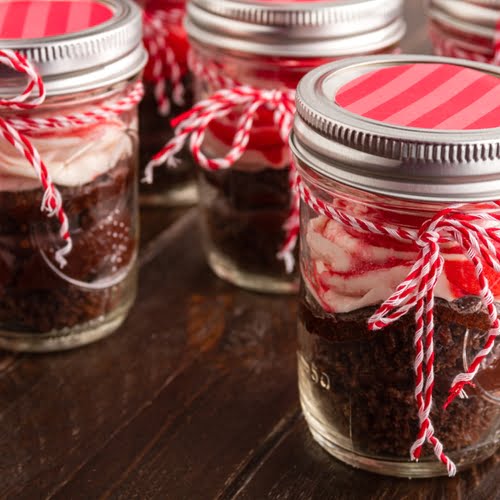
Producers of consumer goods like specialty foods, wine, beer and processed ingredients may use this time of year to put holiday promotions on the shelves.

For companies in the food and beverage industries, there is some evidence that consumers respond well to positive nutritional claims.