

Making coffee labels for a specific brand as a trial
Chipotle has tried offering coffee, despite the fact that this is not associated with their service.

Where the finest products along with everything you need for “do-it-yourself” label printing are just a click away.
Call Now: +1-866-299-0066 or Live Chat

Trying to select the best label printer machine that suits your business can be perhaps the most stressful and challenging task to accomplish. More often than not, the debate centers around “inkjet vs. laser labels. ” This blog will discuss the complications step by step to ensure that you walk away with the best answer tailored to your needs. This blog goes over the most critical factors, such as quality and cost, and provides easy-to-understand direct comparisons.
Inkjet label printers excel at creating and printing detailed and colourful labels. Laser label printers excel at fast production, crisp text, and durability. Inkjet label printers are perfect for use in cosmetic or design packaging. Laser label printers are equally suitable for printing barcodes, shelf price tags, or retail tags that need to be printed in bulk. Whichever works best for you will depend on the project you are working on or your budget, as well as your primary focus: colour, speed or durability.

Label printer machines come in several types:
Let’s compare these two.
If you own a small business that specializes in skincare products, you would most likely care about the design elements that go onto lotion bottles or face cream jars. Inkjet labels will give you those rich colours and sharp graphics that are important for suspending the customers’ attention on the shelf. Just remember that products may fade or smudge if exposed to sunlight or moisture.
To quickly print retail shelf price tags, a busy store may frequently use laser printers. These labels are designed to be read quickly and scanned effortlessly. Laser printers are ideal for bulk printing of tags, and the labels are durable enough to withstand handling. Warehouse staff and clothing manufacturers also rely on them for their accuracy and consistency.
For increased durability and protection, Zebra bar code printers frequently employ thermal transfer ribbons, which are specialized for printers.
These ribbons are beneficial as they prevent labels from sunlight, rough handling, and chemicals. This is best for industrial and warehouse settings.
Increased printhead life and decreased maintenance costs of thermal transfer zebra printers are economically beneficial.
Best for mobile workers, this portable, battery-operated printer is ideal for invoices, receipts, and labels.
This printer is handy for mobile professionals and is as lightweight and compact as a pencil box.
Brother printers are easily maintained, and simple tasks such as changing a Brother printer ribbon or printer head are straightforward.
These printers are designed for small, flexible fabric labels, and hence have items such as clothing label printing.
Capsules and Bottles for Cosmetics have a distinctly challenging shape; thus, they require printers that can print tiny and precise text.

Still don’t know which to purchase? Follow this simple guide to help you:
Compile a checklist of your needs: What type of ink do you prefer? Colour or black/white? Label for courtyard or streets?
The choice between inkjet and laser is entirely dependent on the user’s preferences. Inkjet is best for colourful and customized labels, making it ideal for more creative industries like cosmetics. Retail and shipping industries will benefit from lasers’ quick and tough labels as those industries work in high volume and require quick turnaround. Regardless of the choice, the label printer machine and supplies used will significantly affect the quality, speed, and durability of the product.
Look into options from DuraFast Label Company for reliable, affordable, high-performance label printers and accessories and see how easy it is to improve your label printing processes.
Specialized for vibrant coloration as well as photo-quality imagery, inkjet printers excel at producing labels, especially those on cosmetic packages or artisan food items.
Most laser label printers create labels that resist water and smudging, particularly with proper media, which is helpful for retail shelf price tags that are often handled.
Precise and rugged label durability is a hallmark of thermal transfer ribbon Zebra printers, which also protects your printer head from abrasion.
Absolutely! These printers are excellent for label printing and mobile work, enabling printing of labels or receipts anytime and anywhere.
For cosmetic products, an inkjet label printer is best because it offers high colour resolution. Also, for high-volume packaging of cosmetics, an inkjet label printer is best for small or curved containers.
Check the vendor-specific manual or Brother support website for the step-by-step guides. Usually, it is very straightforward and can be done without special tools.
The fastest option is a dedicated barcode printer. Using a zebra barcode label printer that makes unused barcode tags is even faster. Make sure to use special sticker papers for an inkjet or laser printer to increase the reliability of the print.
Yes. There are clothing label printing machines which are fabric and care label compatible that are for sale.
Chipotle has tried offering coffee, despite the fact that this is not associated with their service.
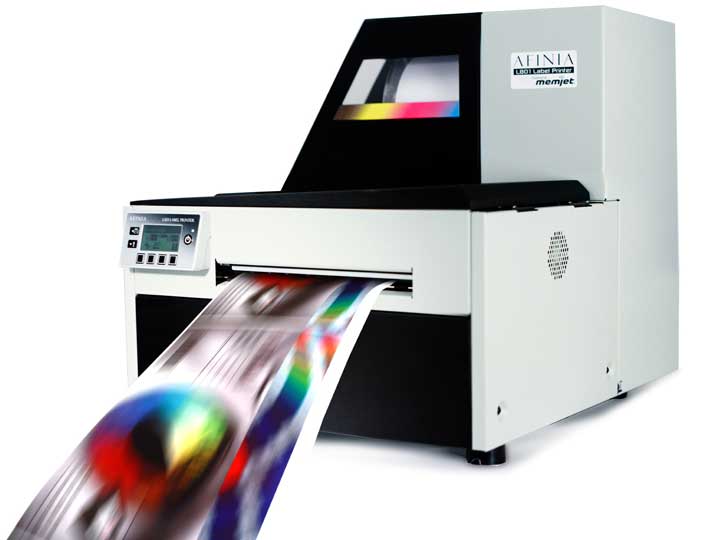
We had the pleasure of attending the Toronto Bakery Showcase where we introduced several color label printers to attendees from the bakery industry. If you missed the show, check out…

In Australia, the chocolate-hazelnut spread manufacturer initiated a campaign that would allow customers to create custom labels of the delicacy.

The USDA will begin requiring separate labeling for the 6.2 billion servings of tenderized meat that Americans consume each year.