

Making coffee labels for a specific brand as a trial
Chipotle has tried offering coffee, despite the fact that this is not associated with their service.

Where the finest products along with everything you need for “do-it-yourself” label printing are just a click away.
Call Now: +1-866-299-0066 or Live Chat

Have you ever been confronted with two choices, completely unsure which way to go?
That is the feeling many individuals experience when choosing between a Primera and an Epson label printer.

You may be asking:
A label printer is hardly an everyday purchase, and choosing the wrong one can lead to a drain on time, effort, and resources. So, let’s simplify the details to enable the right choice to be made with ease.
If the requirement is for detailed and intricate, colourful, and bright labels, then Primera is usually the better option.
If the needs include a high-volume output of labels, cheap long-term costs, and durable label printouts, then Epson is probably the better choice.
But there is more. We’ll cover every detail so the decision can be made with certainty.
Labels are ubiquitous. They are on clothes, equipment, bottles, boxes, envelopes and more. Organising products, tracking items, and providing critical details like ingredients, warnings, or expiry dates is nearly impossible without labels, making label aids a business’s best friend.
A label printer allows you to print the labels you need at home, in the office, or in the warehouse. Different models and brands of label printers function in various ways, and this article seeks to explain the differences.
Label printers use two methods for printing.
This printer operates using heat as a medium, which is divided into two.
Direct thermal printers do not use ink cartridges.
– Printing speed is higher than other methods.
– Maintenance costs and efforts are lower.
– They are great for large volume tasks.
This color label printer applies a spray of liquid ink on the label surface.
They specialise in creating bright as well as detailed images.
– Images are visually appealing.
– Enhances a brand’s identity.
– Tough competition in product promotion.
– Sharp details in a photo or image and vivid, rich colour in printing is a must.
Downside: cost is always there, ink keeps on fading over a length of time and is expensive to use on a bulk order.
Primera specialises in manufacturing high-quality inkjet label printers, with a special focus on small businesses. Their LX-series is especially popular among small businesses.
Epson offers a wide variety of printers, such as small colour printers and even industrial label printers. They offer pigment color inkjet l printers.

|
Feature |
Primera |
Epson |
|
Printing Technology |
Inkjet (dye and pigment inks) |
Inkjet (lpigment inks only) |
|
Speed |
Slower |
Slower to Faster |
|
Color Quality |
4800 dpi Outstanding, photo-like |
1200 dpi, Good, but slightly less sharp |
|
Durability |
Good |
Good |
|
Best Use |
Small to medium creative jobs |
Large, industrial, high-volume |
|
Cost Per Label |
Higher due to tri-color CMY ink cartridge |
Lower due to four separate CMTK ink cartridges |
|
Supplies Needed |
Ink cartridges,Inkjet media |
r ink, inkjet media |
|
Works with Auto Applicator |
Some models |
Some models |
Ask yourself these questions:
Do I require eye-catching and colourful labels?
Select Primera LX500 or LX910 color label printer.
Do I print thousands of labels a day?
Select Primera LX4000 color label printer.
Is low cost per label essential?
The label cost is the same for Epson or Primera label printer. The Epson has a lower ink cost per label then the Primera label printers. However the Primera label printer has better print quality and more vibrant colors.
Do I sell luxury products where image is everything?
Primera helps labels stand out and look stunning.
For visual quality, labels stamped by Primera are sharper and more eye-catching. For speed and printing efficiency, toughness, and lower printing costs for large batches, Epson is the smarter choice.
Consider what matters most. Is it beauty and attention to detail, or speed and durability, small or bulk printing? Knowing the answer will make the decision much easier.
For expert guidance to your specific printing needs, DuraFast Label Company has expert insights and a broad selection of both Primera and Epson models.
They are high volume because faster and less expensive to operate, bypassing ink more frequently.
Yes, but prices will be steeper because of ink use.
Supplies should be selected based on the printer make, model, and the material to be printed on for optimum results.
Yes, if printing hundreds to thousands of labels daily.
Yes, but thermal models concentrate on durability over photo quality.
Cleaning, the right parts, and proper label storage.
Thermal is quicker and produces stronger labels. Inkjet is slower, but produces more colourful and detailed labels.
Chipotle has tried offering coffee, despite the fact that this is not associated with their service.
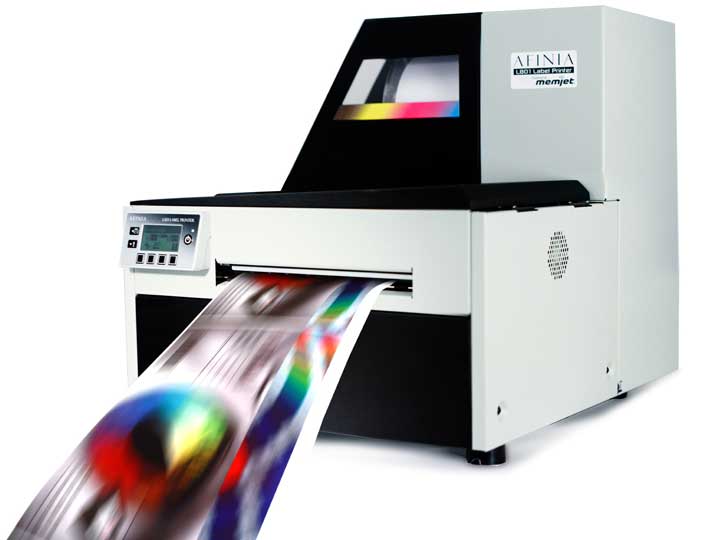
We had the pleasure of attending the Toronto Bakery Showcase where we introduced several color label printers to attendees from the bakery industry. If you missed the show, check out…

In Australia, the chocolate-hazelnut spread manufacturer initiated a campaign that would allow customers to create custom labels of the delicacy.

The USDA will begin requiring separate labeling for the 6.2 billion servings of tenderized meat that Americans consume each year.